Which table did the AI read?
Check before calculation¿Qué tabla ha leído la IA?
Compruébelo antes de calcularQuel tableau l’IA a-t-elle lu ?
Vérifiez avant de calculerAI qaysi jadvalni o‘qidi?
Hisoblashdan oldin tekshiringAI 读的是哪张表?
计算之前,先核对
You need to pass a factual answer from an ordinary workbook to its owner. An AI assistant has found a value, but which table does it belong to, and which headings give it meaning? For a finance or purchasing coordinator, that question comes before checking arithmetic. A neat answer can conceal a different reading of the sheet. The useful next step is to keep the authorized original beside the answer and ask the workbook owner to confirm the intended table, complete headings and source cells.Necesita entregar al responsable de un libro de cálculo una respuesta factual obtenida de ese archivo. Un asistente de IA ha encontrado un valor, pero ¿a qué tabla pertenece y qué encabezados le dan sentido? Para quien coordina tareas de finanzas o compras, esa pregunta viene antes de revisar la aritmética. Una respuesta ordenada puede ocultar otra interpretación de la hoja. El siguiente paso útil es conservar el original autorizado junto a la respuesta y pedir al responsable que confirme la tabla prevista, los encabezados completos y las celdas de origen.Vous devez transmettre au responsable d’un classeur une réponse factuelle tirée de ce fichier courant. Un assistant IA a trouvé une valeur, mais à quel tableau appartient-elle et quels en-têtes lui donnent son sens ? Pour une personne chargée de la coordination financière ou des achats, cette question précède la vérification des calculs. Une réponse bien présentée peut masquer une autre lecture de la feuille. L’étape utile consiste à garder l’original autorisé à côté de la réponse et à demander au responsable de confirmer le tableau visé, les en-têtes complets et les cellules sources.Oddiy elektron jadval faylidan olingan faktga oid javobni uning mas’uliga yetkazishingiz kerak. AI yordamchi bir qiymatni topdi, lekin u qaysi jadvalga tegishli va qaysi sarlavhalar uning ma’nosini belgilaydi? Moliya yoki xaridlar bo‘yicha muvofiqlashtiruvchi uchun bu savol arifmetikani tekshirishdan oldin keladi. Tartibli javob varaq boshqacha talqin qilinganini yashirishi mumkin. Foydali keyingi qadam — foydalanishga ruxsat etilgan asl faylni javob yonida saqlab, mas’uldan nazarda tutilgan jadval, to‘liq sarlavhalar va manba kataklarni tasdiqlashni so‘rash.您需要把普通工作簿中的一个事实性答案交给文件负责人。AI 助手找到了一个数值,但它属于哪块表格区域?哪些表头决定了它的含义?对于财务或采购协调人员,这个问题应当放在核算之前。整齐的答案可能掩盖了对工作表的另一种理解。下一步,可以把获准使用的原文件与答案放在一起,请工作簿负责人确认目标表格、完整表头和来源单元格。
SynexasPublishedPublicadoPubliéE’lon qilingan发布日期
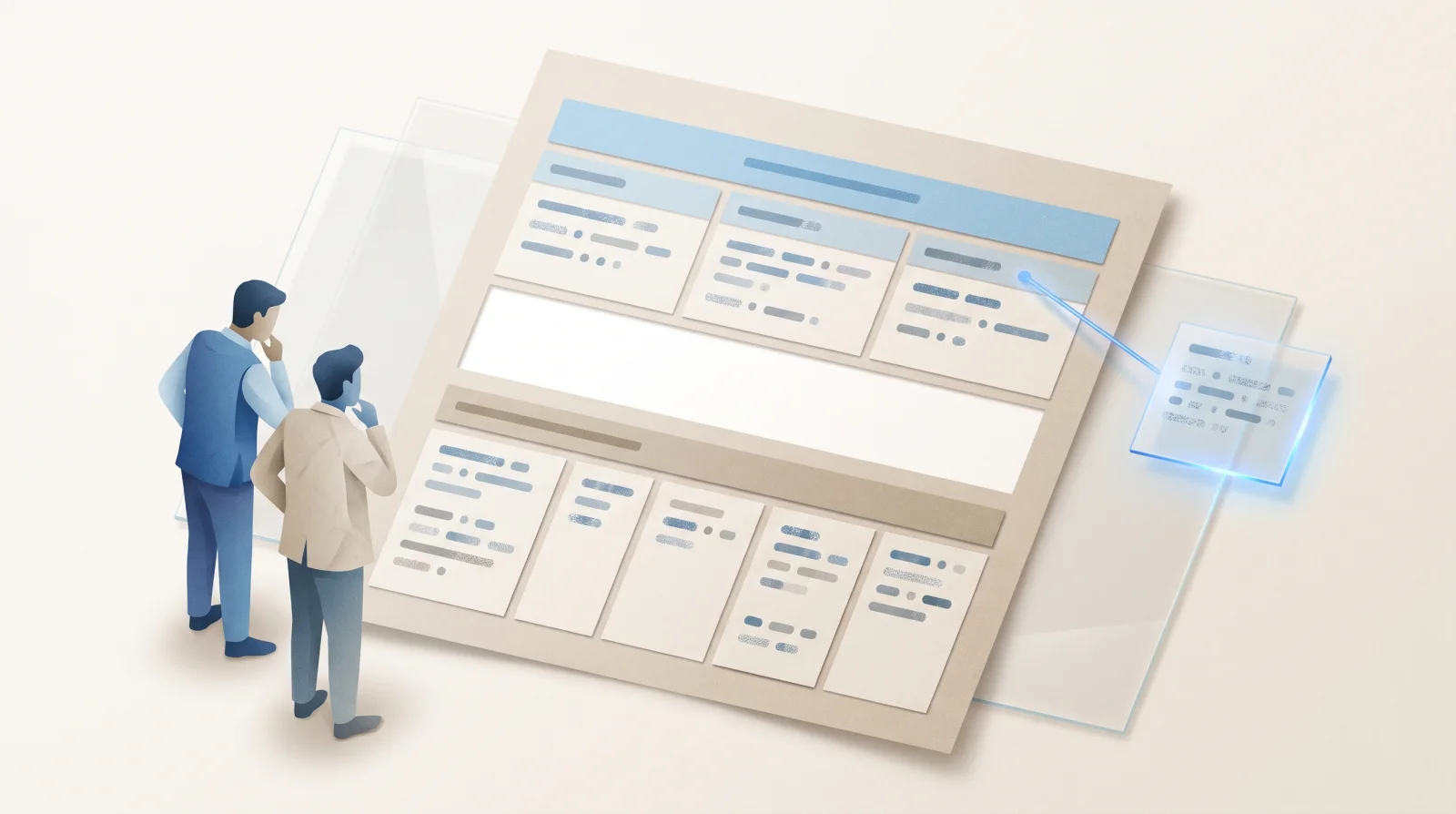
Find the intended table
Before using its valuesLocalice la tabla prevista
Antes de utilizar sus valoresRepérez le tableau visé
Avant d’utiliser ses valeursKerakli jadvalni toping
So‘ng qiymatlaridan foydalaning先找到目标表格
再使用其中的数值
Evaluation scopeAlcance de la evaluaciónPérimètre de l’évaluationBaholash doirasi评估范围
Name the factual question and workbook version. Locate the intended sheet and table rather than treating the whole sheet as one table.Identifique la pregunta factual y la versión del libro. Localice la hoja y la tabla pertinentes, sin tratar toda la hoja como una sola tabla.Précisez la question factuelle et la version du classeur. Repérez la feuille et le tableau concernés au lieu de traiter toute la feuille comme un seul tableau.Faktga oid savolni va fayl versiyasini belgilang. Butun varaqni bitta jadval deb olmay, kerakli varaq va jadvalni toping.明确事实性问题和工作簿版本,找到相关工作表及表格区域,不要把整张工作表当成一张表。
Comparable evidenceEvidencia comparableÉléments de preuve comparablesTaqqoslanadigan dalillar可比证据
Keep row labels, all relevant heading levels and source cell addresses together. A familiar column name may not supply the complete meaning.Mantenga juntas las etiquetas de fila, todos los niveles de encabezado pertinentes y las referencias de las celdas de origen. Un nombre de columna conocido puede no expresar todo el significado.Gardez ensemble les libellés de ligne, tous les niveaux d’en-tête pertinents et les adresses des cellules sources. Un nom de colonne familier peut ne pas suffire à donner tout le sens.Satr nomlari, tegishli sarlavhalarning barcha darajalari va manba kataklar manzillarini birga saqlang. Tanish ustun nomi to‘liq ma’noni bermasligi mumkin.把行标签、所有相关层级的表头和来源单元格地址保留在一起。熟悉的列名未必表达了完整含义。
Review ownershipResponsabilidad de la revisiónResponsabilité de la revueKo‘rib chiqish uchun mas’uliyat审查责任归属
The coordinator prepares the comparison. The workbook owner resolves the reading scope under existing company rules.La persona coordinadora prepara la comparación. El responsable del libro resuelve el alcance de la lectura conforme a las normas existentes de la empresa.La personne chargée de la coordination prépare la comparaison. Le responsable du classeur clarifie le périmètre de lecture selon les règles existantes de l’entreprise.Muvofiqlashtiruvchi taqqoslashni tayyorlaydi. Fayl mas’uli kompaniyaning amaldagi qoidalari doirasida o‘qish doirasini aniqlashtiradi.协调人员准备对照材料,工作簿负责人按公司现有规则澄清读取范围。
Acceptance decisionDecisión de aceptaciónDécision d’acceptationQabul qilish qarori验收决定
Leave use of the answer pending where its table or heading relationships remain unclear. This check stops before calculation or a financial decision.Deje pendiente el uso de la respuesta si no están claras su tabla o las relaciones entre sus encabezados. Esta comprobación termina antes del cálculo o de una decisión financiera.Laissez l’utilisation de la réponse en attente si son tableau ou les liens entre ses en-têtes restent incertains. Cette vérification s’arrête avant le calcul ou une décision financière.Jadval yoki sarlavhalar o‘rtasidagi bog‘lanishlar noaniq bo‘lsa, javobdan foydalanishni kutishga qoldiring. Bu tekshiruv hisoblash yoki moliyaviy qarordan oldin tugaydi.如果答案对应的表格或表头关系仍不清楚,暂不使用该答案。这项核对止于计算和财务决策之前。
Start with the original sheet
Not the assistant's rearrangementEmpiece por la hoja original
No por la reorganización del asistentePartez de la feuille originale
Pas du réagencement de l’assistantAsl varaqdan boshlang
Yordamchi qayta tuzgan ko‘rinishdan emas从原工作表开始
不要从助手重排后的表格开始
Open the workbook you are already authorized to review. State the question the answer is meant to address and identify the version being considered. Ask where the relevant table begins and ends. Another region on the same sheet may have its own headings and purpose; proximity does not make it part of the same table. Keep the original arrangement available to the workbook owner. A blank row might separate two regions, while a heading above several columns might qualify each of them. Do not remove those features merely to make the assistant's representation look simpler.Abra el libro que ya tiene autorización para revisar. Formule la pregunta a la que debe responder el resultado e identifique la versión considerada. Pregunte dónde empieza y termina la tabla pertinente. Otra zona de la misma hoja puede tener sus propios encabezados y propósito; la cercanía no la convierte en parte de la misma tabla. Conserve la disposición original para que el responsable pueda consultarla. Una fila vacía podría separar dos zonas, mientras que un encabezado situado sobre varias columnas podría aplicarse a todas ellas. No elimine esos elementos solo para simplificar la representación del asistente.Ouvrez le classeur que vous êtes déjà autorisé à examiner. Formulez la question à laquelle la réponse doit correspondre et identifiez la version considérée. Demandez où commence et où finit le tableau pertinent. Une autre zone de la même feuille peut avoir ses propres en-têtes et son propre objet ; sa proximité ne l’intègre pas au même tableau. Gardez la disposition originale accessible au responsable du classeur. Une ligne vide pourrait séparer deux zones, tandis qu’un en-tête placé au-dessus de plusieurs colonnes pourrait s’appliquer à chacune. Ne supprimez pas ces éléments simplement pour rendre la représentation de l’assistant plus simple.Ko‘rib chiqishga allaqachon ruxsatingiz bo‘lgan elektron jadval faylini oching. Javob qaysi savolga tegishli ekanini va qaysi versiya ko‘rib chiqilayotganini belgilang. Kerakli jadval qayerdan boshlanib, qayerda tugashini so‘rang. Shu varaqdagi boshqa sohaning o‘z sarlavhalari va vazifasi bo‘lishi mumkin; yonma-yon joylashish ularni bitta jadvalga aylantirmaydi. Fayl mas’uli asl joylashuvni ko‘ra olsin. Bo‘sh satr ikki sohani ajratishi, bir nechta ustun tepasidagi sarlavha esa ularning har biriga tegishli bo‘lishi mumkin. Yordamchi ko‘rinishini soddalashtirish uchungina bu belgilarni olib tashlamang.打开您已有权限审阅的工作簿,写清答案需要回应的问题,并确认正在查看的版本。相关表格从哪里开始、到哪里结束?同一工作表上的另一块区域可能有自己的表头和用途;位置相近,并不意味着属于同一张表。 保留原始布局,让工作簿负责人能够查看。空白行可能分隔两块区域,横跨多列的上层表头则可能限定每一列的含义。不要仅仅为了简化助手展示的内容,就删去这些特征。
Reading the structure and calculating from values are different tasks. If the assistant has selected the wrong region, checking its arithmetic cannot establish that it answered the intended question. Equally, finding the right table does not establish that every heading and value was interpreted correctly. This proposed comparison concerns what the answer represents. It does not investigate spending causes, compare suppliers' commercial terms or establish whether a search index contains every record. Keep the question small enough for the owner to inspect in the source workbook.Interpretar la estructura y calcular a partir de los valores son tareas distintas. Si el asistente ha elegido la zona equivocada, revisar su aritmética no demuestra que haya respondido a la pregunta prevista. Del mismo modo, localizar la tabla correcta no demuestra que se hayan interpretado bien todos sus encabezados y valores. Esta comparación propuesta se centra en qué representa la respuesta. No investiga las causas del gasto, compara condiciones comerciales de proveedores ni determina si un índice de búsqueda contiene todos los registros. Acote la pregunta para que el responsable pueda examinarla en el libro de origen.Lire la structure et calculer à partir des valeurs sont deux tâches distinctes. Si l’assistant a choisi la mauvaise zone, vérifier ses calculs ne permet pas d’établir qu’il a répondu à la question prévue. De même, repérer le bon tableau ne prouve pas que chaque en-tête et chaque valeur ont été correctement interprétés. La comparaison proposée porte sur ce que représente la réponse. Elle ne recherche pas les causes d’une dépense, ne compare pas les conditions commerciales de fournisseurs et ne vérifie pas qu’un index de recherche contient tous les documents. Limitez la question pour que le responsable puisse l’examiner dans le classeur source.Tuzilmani o‘qish va qiymatlardan hisob chiqarish boshqa-boshqa vazifalar. Yordamchi noto‘g‘ri sohani tanlagan bo‘lsa, uning arifmetikasini tekshirish kerakli savolga javob berilganini isbotlamaydi. Xuddi shuningdek, to‘g‘ri jadvalni topish har bir sarlavha va qiymat to‘g‘ri talqin qilinganini anglatmaydi. Taklif etilayotgan taqqoslash javob nimani ifodalashiga qaratilgan. U xarajat sabablarini o‘rganmaydi, yetkazib beruvchilarning tijorat shartlarini solishtirmaydi va qidiruv indeksida barcha yozuvlar borligini aniqlamaydi. Mas’ul asl faylda ko‘rib chiqa oladigan darajada tor savolni tanlang.读懂结构和依据数值计算,是两项不同的任务。如果助手选错了区域,核算其算式也不能证明它回答了原本的问题。同样,找对表格,也不代表每个表头和数值都已被正确理解。 这里提出的对照,关注答案究竟代表什么。它不调查支出原因,不比较供应商的商务条件,也不判断搜索索引是否包含全部记录。把问题限定在负责人能够直接对照源工作簿查看的范围内。
A proposed reading check before calculation
- Question and version
- Original table
- Complete headings
- Answer and source cells
- Unresolved reading
- Workbook owner's decision
The coordinator states the factual question and identifies the workbook version already authorized for review.
Locate the intended sheet and table boundaries in the original. Nearby regions may be separate tables.
Keep row labels, shared heading levels and meaningful separators available with the relevant cells.
Compare the assistant's represented table and cell references with the original, before checking arithmetic.
Record an uncertain boundary, missing heading or unclear relationship and name the person pursuing clarification.
The workbook owner clarifies the reading scope or keeps use pending. This does not authorize calculation or a financial decision.
Una propuesta de comprobación antes de calcular
- Pregunta y versión
- Tabla original
- Encabezados completos
- Respuesta y celdas de origen
- Interpretación pendiente
- Decisión del responsable del libro
La persona coordinadora formula la pregunta factual e identifica la versión del libro ya autorizada para revisión.
Localice la hoja prevista y los límites de la tabla en el original. Las zonas cercanas pueden ser tablas distintas.
Conserve las etiquetas de fila, los niveles de encabezado comunes y las separaciones con significado junto a las celdas pertinentes.
Contraste la tabla y las referencias de celdas que presenta el asistente con el original, antes de revisar la aritmética.
Registre límites inciertos, encabezados ausentes o relaciones poco claras e identifique quién solicitará la aclaración.
El responsable aclara el alcance de lectura o deja pendiente el uso. Esto no autoriza el cálculo ni una decisión financiera.
Une proposition de vérification avant le calcul
- Question et version
- Tableau original
- En-têtes complets
- Réponse et cellules sources
- Lecture non résolue
- Décision du responsable du classeur
La personne chargée de la coordination formule la question factuelle et identifie la version du classeur déjà autorisée pour la revue.
Repérez la feuille visée et les limites du tableau dans l’original. Les zones voisines peuvent être des tableaux distincts.
Gardez les libellés de ligne, les niveaux d’en-tête communs et les séparations porteuses de sens avec les cellules concernées.
Comparez le tableau et les références de cellules présentés par l’assistant à l’original, avant de vérifier les calculs.
Notez les limites incertaines, en-têtes manquants ou relations ambiguës et nommez la personne qui cherchera la clarification.
Le responsable précise le périmètre de lecture ou laisse l’utilisation en attente. Cela n’autorise ni calcul ni décision financière.
Hisoblashdan oldingi o‘qishni tekshirish taklifi
- Savol va versiya
- Asl jadval
- To‘liq sarlavhalar
- Javob va manba kataklar
- Ochiq qolgan talqin
- Fayl mas’ulining qarori
Muvofiqlashtiruvchi faktga oid savolni va ko‘rib chiqishga allaqachon ruxsat etilgan fayl versiyasini belgilaydi.
Asl faylda kerakli varaq va jadval chegaralarini toping. Yaqin sohalar alohida jadvallar bo‘lishi mumkin.
Satr nomlari, umumiy sarlavha darajalari va ma’noli ajratkichlarni tegishli kataklar bilan birga saqlang.
Arifmetikani tekshirishdan oldin yordamchi ko‘rsatgan jadval va katak manzillarini asl nusxa bilan solishtiring.
Noaniq chegara, yetishmayotgan sarlavha yoki tushunarsiz bog‘lanishni hamda aniqlashtirishni kim davom ettirishini qayd eting.
Fayl mas’uli o‘qish doirasini aniqlashtiradi yoki foydalanishni kutishga qoldiradi. Bu hisoblash yoki moliyaviy qarorga ruxsat bermaydi.
计算之前,可按这条顺序核对读取范围
- 问题与版本
- 原始表格
- 完整表头
- 答案与来源单元格
- 待澄清的读取疑问
- 工作簿负责人决定
协调人员说明事实性问题,确认已有权限审阅的工作簿版本。
在原文件中找到目标工作表和表格边界。邻近区域可能是另一张表。
将行标签、共同的上层表头和有意义的分隔,与相关单元格一起保留。
核算之前,先把助手呈现的表格及单元格引用与原文件对照。
记录不确定的边界、缺失的表头或不清楚的对应关系,并明确由谁跟进。
工作簿负责人澄清读取范围,或继续暂缓使用答案。这不授权计算或财务决策。
A cell address helps you find it
Its headings explain what it meansLa referencia permite localizar la celda
Los encabezados explican su significadoL’adresse permet de retrouver la cellule
Ses en-têtes en expliquent le sensKatak manzili uni topishga yordam beradi
Sarlavhalar uning ma’nosini tushuntiradi单元格地址帮助定位
表头说明它的含义
Compare the assistant's stated table with the original. Can the owner follow the answer to the sheet, relevant range and source cells? Read the row label together with the complete column heading, including any heading shared across a group of columns. A repeated label under a different parent heading need not describe the same thing. SpreadsheetLLM gives historical research support for separating these questions. Its revised method identifies a relevant table and its boundaries before generating a response. Its larger-table procedure also discusses retaining heading context when dividing a table. The authors report improved table detection against selected historical comparisons, not universal inability to read spreadsheets. The detection evaluation required exact matches for all four table boundaries and used annotations improved by human reviewers. That measure is not a test of every heading's meaning. A separate question-answering evaluation covered search, comparison and basic arithmetic, excluded composite operations, and assessed source cell addresses or formulas containing them. A fluent explanation alone was not its evaluation target. Some research compression deliberately replaces exact numerical detail with information about data formats to help identify structure. That is not a verified basis for calculation. Nor does the paper establish that a current commercial assistant uses its technique.Compare la tabla que indica el asistente con el original. ¿Puede el responsable seguir la respuesta hasta la hoja, el rango pertinente y las celdas de origen? Lea la etiqueta de fila junto con el encabezado completo de columna, incluidos los encabezados comunes a un grupo de columnas. Una etiqueta repetida bajo otro encabezado superior no tiene por qué describir lo mismo. SpreadsheetLLM aporta evidencia histórica para separar estas cuestiones. Su método revisado identifica la tabla pertinente y sus límites antes de generar una respuesta. Su procedimiento para tablas grandes también aborda cómo conservar el contexto de los encabezados al dividirlas. Los autores informan de mejoras en la detección de tablas frente a determinadas referencias históricas, no de una incapacidad universal para leer hojas de cálculo. La evaluación de detección exigía coincidencias exactas de los cuatro límites de la tabla y utilizaba anotaciones mejoradas por revisores humanos. Esa medida no evalúa el significado de todos los encabezados. Otra evaluación de preguntas y respuestas abarcaba búsquedas, comparaciones y aritmética básica, excluía operaciones compuestas y valoraba referencias de celdas o fórmulas que las incluían. Una explicación fluida, por sí sola, no era su objetivo de evaluación. Una parte de la compresión investigada sustituye deliberadamente los detalles numéricos exactos por información sobre formatos de datos para ayudar a identificar la estructura. Eso no constituye una base verificada para calcular. El artículo tampoco demuestra que un asistente comercial actual utilice esa técnica.Comparez le tableau indiqué par l’assistant à l’original. Le responsable peut-il remonter de la réponse à la feuille, à la plage concernée et aux cellules sources ? Lisez le libellé de ligne avec l’en-tête de colonne complet, y compris tout en-tête commun à un groupe de colonnes. Un même libellé répété sous un autre en-tête supérieur ne désigne pas nécessairement la même chose. SpreadsheetLLM apporte un appui scientifique historique à cette distinction. Sa méthode révisée repère le tableau pertinent et ses limites avant de générer une réponse. Sa procédure pour les grands tableaux aborde aussi la conservation du contexte des en-têtes lors du découpage. Les auteurs rapportent une amélioration de la détection des tableaux par rapport à certaines méthodes historiques, et non une incapacité universelle à lire des feuilles de calcul. L’évaluation de la détection exigeait une correspondance exacte des quatre limites du tableau et utilisait des annotations améliorées par des évaluateurs humains. Cette mesure ne teste pas le sens de chaque en-tête. Une évaluation distincte de questions-réponses portait sur la recherche, la comparaison et l’arithmétique élémentaire, excluait les opérations composites et évaluait des adresses de cellules ou des formules les contenant. Une explication fluide, à elle seule, n’était pas la cible de l’évaluation. Une partie de la compression étudiée remplace délibérément les détails numériques exacts par des informations sur les formats de données pour aider à repérer la structure. Ce n’est pas une base vérifiée pour calculer. L’article n’établit pas non plus qu’un assistant commercial actuel utilise cette technique.Yordamchi ko‘rsatgan jadvalni asl nusxa bilan solishtiring. Mas’ul javobdan tegishli varaq, kataklar oralig‘i va manba kataklargacha bora oladimi? Satr nomini ustunning to‘liq sarlavhasi bilan birga o‘qing, jumladan bir guruh ustunlarga umumiy bo‘lgan sarlavhani ham. Boshqa yuqori sarlavha ostida takrorlangan nom aynan bir narsani anglatishi shart emas. SpreadsheetLLM bu savollarni ajratish uchun tarixiy ilmiy asos beradi. Uning qayta ko‘rib chiqilgan usuli javob yaratishdan oldin tegishli jadval va uning chegaralarini aniqlaydi. Katta jadvallar bilan ishlash tartibida jadval bo‘linganda sarlavha mazmunini saqlash ham muhokama qilinadi. Mualliflar tanlangan tarixiy taqqoslashlarga nisbatan jadvalni aniqlash yaxshilanganini bildiradi; bu elektron jadvallarni umuman o‘qib bo‘lmaydi degani emas. Aniqlash baholovida jadvalning to‘rt chegarasi ham aynan mos kelishi talab qilingan va inson tekshiruvchilar yaxshilagan belgilashlardan foydalanilgan. Bu o‘lchov har bir sarlavhaning ma’nosini tekshirmaydi. Alohida savol-javob baholovi qidirish, taqqoslash va oddiy arifmetikani qamrab olgan, murakkab qo‘shma amallarni chiqarib tashlagan hamda katak manzillari yoki ularni o‘z ichiga olgan formulalarni baholagan. Ravon izohning o‘zi baholash maqsadi bo‘lmagan. Tadqiqotdagi siqishning bir qismi tuzilmani aniqlash uchun aniq son tafsilotlarini ataylab ma’lumot formatlari haqidagi axborot bilan almashtiradi. Bu hisoblash uchun tekshirilgan asos emas. Maqola hozirgi tijoriy yordamchi shu usuldan foydalanishini ham tasdiqlamaydi.把助手所指的表格与原文件对照。负责人能否从答案追溯到工作表、相关区域和来源单元格?将行标签与完整列标题一起阅读,包括统领一组列的上层表头。相同标签出现在不同上层表头之下,未必指同一回事。 SpreadsheetLLM 的历史研究为区分这些问题提供了依据。修订后的方法先识别相关表格及其边界,再生成回答。针对大型表格的处理过程,也讨论了拆分时如何保留表头上下文。作者报告,相较于选定的历史对照方法,表格检测有所改善;这并不意味着 AI 普遍无法读取电子表格。 检测评估要求表格的上、下、左、右四个边界全部精确匹配,并使用经过人工复核改进的标注。这项指标并不检验每个表头的含义。另一项问答评估涵盖查找、比较和基本算术,排除了复合运算,并依据来源单元格地址或含有这些地址的公式进行判断。流畅的解释本身不是评估目标。 研究中的部分压缩会有意用数据格式信息替代精确数值细节,以帮助识别结构。这不能作为已经核实的计算依据。论文也没有证明当前商用助手采用了这项技术。
Keep meaningful layout visible
Ask the owner about ambiguityConserve la disposición que aporta significado
Consulte las ambigüedades con el responsableGardez la disposition porteuse de sens
Soumettez les ambiguïtés au responsableMa’no beradigan joylashuvni saqlang
Noaniqlikni mas’uldan so‘rang保留有意义的布局
请负责人解释歧义
Current OpenAI guidance describes useful assistance, including summaries of rows and columns and tables for row-by-row review. It recommends descriptive first-row headings and one record per row, while advising against unrelated tables on one sheet and blank rows or columns splitting data. These are documented input recommendations, not measured accuracy rates. For an existing workbook, those recommendations do not authorize deleting meaningful separators or rewriting its headings. Ask the owner what the layout means. Keep a missing heading, uncertain boundary or unclear relationship visible in the comparison rather than silently filling it in. The guidance also says a successful upload can still leave analysis incomplete because of size, complexity, images, structure or formula complexity. Available file types vary with the model, plan, workspace settings and account capabilities. Exact values may not be reliably extracted from image-based tables, scans or complex visual layouts. A displayed table therefore does not establish complete or correct reading.La documentación actual de OpenAI describe ayudas útiles, como resumir filas y columnas y crear tablas para revisarlas fila por fila. Recomienda encabezados descriptivos en la primera fila y un registro por fila, y aconseja evitar tablas sin relación en una misma hoja y filas o columnas vacías que dividan los datos. Son recomendaciones documentadas sobre los datos de entrada, no tasas de precisión medidas. En un libro existente, esas recomendaciones no autorizan a borrar separaciones que tengan significado ni a reescribir los encabezados. Pregunte al responsable qué significa la disposición. Mantenga visible cualquier encabezado ausente, límite incierto o relación poco clara, sin completarlos en silencio. La documentación también indica que una carga correcta puede dar lugar a un análisis incompleto por el tamaño, la complejidad, las imágenes, la estructura o la complejidad de las fórmulas. Los tipos de archivo disponibles varían según el modelo, el plan, la configuración del espacio de trabajo y las capacidades de la cuenta. Es posible que no se extraigan de forma fiable valores exactos de tablas en imágenes, documentos escaneados o disposiciones visuales complejas. Por tanto, ver una tabla en pantalla no demuestra una lectura completa ni correcta.La documentation actuelle d’OpenAI décrit des aides utiles, notamment les résumés de lignes et de colonnes et la création de tableaux pour une revue ligne par ligne. Elle recommande des en-têtes descriptifs sur la première ligne et un enregistrement par ligne, tout en conseillant d’éviter les tableaux sans rapport sur une même feuille et les lignes ou colonnes vides qui séparent les données. Ce sont des recommandations documentées sur les entrées, pas des taux de précision mesurés. Pour un classeur existant, ces recommandations n’autorisent ni à supprimer des séparations porteuses de sens ni à réécrire les en-têtes. Demandez au responsable ce que signifie la disposition. Gardez visible dans la comparaison tout en-tête manquant, toute limite incertaine ou toute relation peu claire, au lieu de les compléter sans le signaler. La documentation indique aussi qu’un fichier correctement téléversé peut faire l’objet d’une analyse incomplète en raison de sa taille, de sa complexité, de ses images, de sa structure ou de la complexité des formules. Les types de fichiers disponibles varient selon le modèle, l’offre, les paramètres de l’espace de travail et les capacités du compte. L’extraction de valeurs exactes peut manquer de fiabilité avec des tableaux en image, des documents numérisés ou des mises en page visuelles complexes. L’affichage d’un tableau ne prouve donc pas une lecture complète ou correcte.OpenAI’ning amaldagi yo‘riqnomasida satr va ustunlarni umumlashtirish, satrma-satr ko‘rib chiqish uchun jadvallar yaratish kabi foydali yordam turlari bayon etilgan. Unda birinchi satrda tushunarli ustun sarlavhalari va har satrda bitta yozuv bo‘lishi tavsiya qilinadi. Bir varaqda o‘zaro aloqasiz jadvallar hamda ma’lumotni ajratib turuvchi bo‘sh satr yoki ustunlardan qochish aytiladi. Bular kirish ma’lumotlariga oid hujjatlashtirilgan tavsiyalar, o‘lchangan aniqlik ko‘rsatkichlari emas. Mavjud faylda bu tavsiyalar ma’noli ajratkichlarni o‘chirish yoki sarlavhalarni qayta yozishga ruxsat bermaydi. Mas’uldan joylashuv nimani anglatishini so‘rang. Yetishmayotgan sarlavha, noaniq chegara yoki tushunarsiz bog‘lanishni jimgina to‘ldirmay, taqqoslashda ochiq qoldiring. Yo‘riqnomaga ko‘ra, fayl muvaffaqiyatli yuklangan bo‘lsa ham, hajmi, murakkabligi, rasmlari, tuzilmasi yoki formulalar murakkabligi sababli tahlil to‘liq bo‘lmasligi mumkin. Mavjud fayl turlari model, tarif rejasi, ish maydoni sozlamalari va hisob imkoniyatlariga qarab farqlanadi. Rasmdagi jadvallar, skanerlangan fayllar yoki murakkab vizual joylashuvlardan aniq qiymatlar ishonchli ajratib olinmasligi mumkin. Shuning uchun jadvalning ekranda ko‘rinishi uning to‘liq yoki to‘g‘ri o‘qilganini isbotlamaydi.OpenAI 当前文档介绍了实用的辅助方式,包括汇总行列内容,以及生成供逐行查看的表格。文档建议在首行使用描述清楚的列标题、每行放一条记录,并建议避免在同一工作表中放置互不相关的表格,或用空白行列隔开数据。这些是文档列出的输入建议,不是实测准确率。 对于现有工作簿,这些建议并不授权您删除有意义的分隔或改写表头。请负责人说明布局含义。缺失的表头、不确定的边界或不清楚的对应关系,应当留在对照材料中,不要悄悄补齐。 文档还说明,文件即使上传成功,也可能因为大小、复杂程度、图片、结构或公式复杂性而无法完成全面分析。可用文件类型会随模型、套餐、工作区设置和账号能力而变化。对于图片中的表格、扫描文件或复杂视觉布局,精确数值可能无法可靠提取。因此,展示出一张表,并不证明读取完整或理解正确。
Bring a specific reading question
Leave resolution with the workbook ownerPlantee una duda concreta de interpretación
Deje la resolución al responsable del libroPrésentez une question de lecture précise
Laissez le responsable du classeur la résoudreAniq o‘qish savolini taqdim eting
Yechimni fayl mas’uliga qoldiring带着具体的读取疑问交接
由工作簿负责人澄清
We propose a short reading aid under existing company rules: the factual question, workbook version, sheet and table range, complete relevant headings, source cell references, the assistant's representation and any unresolved difference. This is editorial advice, not a workplace procedure validated by the sources. Ask the workbook owner to compare those references with the authorized original. Does the answer combine separate regions? Has a shared heading disappeared? Does a cited cell belong to the heading the answer assigns it? Record what the owner actually resolves and who will pursue any remaining question. A reference can make an ambiguity easier to locate without resolving it. If the table or heading relationship remains uncertain, leave use of that answer pending. Asking the assistant to restate it more confidently would not supply the missing interpretation. The owner may clarify the intended region or request a narrower reading; do not describe an unexamined remainder as checked. This handoff grants no new access, changes no authoritative record and authorizes no purchase, payment or other financial decision. Even a resolved reading scope leaves calculation and the answer's later use to their ordinary responsible reviewers.Proponemos una breve ayuda de lectura conforme a las normas existentes de la empresa: la pregunta factual, la versión del libro, la hoja y el rango de la tabla, los encabezados pertinentes completos, las referencias de las celdas de origen, la representación del asistente y cualquier diferencia pendiente. Es una propuesta editorial, no un procedimiento de trabajo validado por las fuentes. Pida al responsable del libro que contraste esas referencias con el original autorizado. ¿Combina la respuesta zonas separadas? ¿Ha desaparecido un encabezado común? ¿Pertenece una celda citada al encabezado que le atribuye la respuesta? Registre lo que realmente aclare el responsable y quién se ocupará de las dudas restantes. Una referencia puede facilitar la localización de una ambigüedad sin resolverla. Si la tabla o la relación entre encabezados sigue siendo incierta, deje pendiente el uso de esa respuesta. Pedir al asistente que la reformule con más seguridad no aportaría la interpretación que falta. El responsable puede aclarar la zona prevista o solicitar una lectura más acotada; no dé por revisado lo que no se ha examinado. Esta entrega no concede nuevos accesos, modifica registros autorizados ni autoriza compras, pagos u otras decisiones financieras. Incluso cuando se haya aclarado el alcance de la lectura, el cálculo y el uso posterior de la respuesta siguen correspondiendo a sus revisores habituales.Nous proposons une courte aide à la lecture dans le cadre des règles existantes de l’entreprise : question factuelle, version du classeur, feuille et plage du tableau, en-têtes pertinents complets, références des cellules sources, représentation de l’assistant et différences non résolues. Il s’agit d’une proposition éditoriale, pas d’une procédure de travail validée par les sources. Demandez au responsable du classeur de comparer ces références à l’original autorisé. La réponse réunit-elle des zones distinctes ? Un en-tête commun a-t-il disparu ? Une cellule citée relève-t-elle de l’en-tête que la réponse lui attribue ? Consignez ce que le responsable clarifie effectivement et qui poursuivra les questions restantes. Une référence peut faciliter le repérage d’une ambiguïté sans la résoudre. Si le tableau ou le lien entre les en-têtes reste incertain, laissez l’utilisation de cette réponse en attente. Demander à l’assistant de la reformuler avec plus d’assurance ne fournirait pas l’interprétation manquante. Le responsable peut préciser la zone visée ou demander une lecture plus restreinte ; ne présentez pas le reste comme vérifié s’il n’a pas été examiné. Cette transmission n’accorde aucun nouvel accès, ne modifie aucun document faisant autorité et n’autorise aucun achat, paiement ou autre décision financière. Même une fois le périmètre de lecture clarifié, les calculs et l’utilisation ultérieure de la réponse restent du ressort des personnes habituellement responsables de leur revue.Kompaniyaning amaldagi qoidalari doirasida qisqa o‘qish qaydini taklif qilamiz: faktga oid savol, fayl versiyasi, varaq va jadval oralig‘i, tegishli to‘liq sarlavhalar, manba kataklar manzillari, yordamchi ko‘rinishi va hal etilmagan farqlar. Bu tahririy taklif, manbalar tasdiqlagan ish tartibi emas. Fayl mas’ulidan shu manzillarni foydalanishga ruxsat etilgan asl nusxa bilan solishtirishni so‘rang. Javob alohida sohalarni birlashtirib yuborganmi? Umumiy sarlavha yo‘qolganmi? Ko‘rsatilgan katak javob unga biriktirgan sarlavhaga haqiqatan tegishlimi? Mas’ul amalda nimani aniqlashtirganini va qolgan savollarni kim davom ettirishini qayd eting. Manzil noaniqlikni topishni osonlashtirishi mumkin, ammo uni o‘zi hal qilmaydi. Jadval yoki sarlavhalar bog‘lanishi noaniq qolsa, shu javobdan foydalanishni kutishga qoldiring. Yordamchidan uni ishonchliroq ohangda qayta aytishni so‘rash yetishmayotgan talqinni bermaydi. Mas’ul kerakli sohani aniqlashtirishi yoki torroq o‘qishni so‘rashi mumkin; ko‘rilmagan qolgan qismini tekshirilgan deb aytmang. Bu topshirish yangi kirish huquqini bermaydi, asosiy yozuvlarni o‘zgartirmaydi va xarid, to‘lov yoki boshqa moliyaviy qarorga ruxsat bermaydi. O‘qish doirasi aniqlashgandan keyin ham hisoblash va javobdan keyingi foydalanish odatdagi mas’ul tekshiruvchilarda qoladi.我们建议在公司现有规则下准备一份简短的读取说明:事实性问题、工作簿版本、工作表及表格范围、相关完整表头、来源单元格引用、助手的呈现内容,以及尚未解决的差异。这是编辑层面的建议,不是经过这些来源验证的工作程序。 请工作簿负责人将这些引用与获准使用的原文件对照。答案是否合并了原本分开的区域?是否丢失了共同的上层表头?引用的单元格是否真的属于答案为它指定的表头?记录负责人实际澄清的内容,以及剩余问题由谁跟进。引用可以让歧义更容易定位,但不能自行消除歧义。 如果表格或表头关系仍不明确,暂不使用该答案。让助手换一种更肯定的说法,并不能补上缺失的解释。负责人可以明确目标区域,或要求缩小读取范围;未经查看的其余部分,不应被写成已经核对。 这次交接不增加访问权限,不修改权威记录,也不授权采购、付款或其他财务决策。即使读取范围已经澄清,计算和答案后续用途仍须由日常负责这些事项的人员审阅。
Historical structure research and current guidance
Not a test of your workbookInvestigación histórica y orientación actual
No una prueba de su libroRecherche historique et documentation actuelle
Pas un test de votre classeurTuzilma bo‘yicha tarixiy tadqiqot va amaldagi yo‘riqnoma
Sizning faylingiz sinovi emas历史结构研究与当前文档
不是对您工作簿的测试
SpreadsheetLLM was first submitted on July 12, 2024; the history lists v2 on April 2, 2025. The body and history describe one study, not independent replications. Relevant returned sections, not every appendix, were read for this October 30, 2026 article. OpenAI's living guidance supplied no original or revision dateline; retrieval is not a feature-launch date. No exhaustive correction search, current-product test or examination of a company workbook was performed. Present performance on your files and this proposed aid's effectiveness remain unknown.SpreadsheetLLM se presentó por primera vez el 12 de julio de 2024; su historial recoge la versión v2 del 2 de abril de 2025. El texto y el historial describen un solo estudio, no replicaciones independientes. Para este artículo del 30 de octubre de 2026 se leyeron los apartados pertinentes devueltos, no todos los apéndices. La documentación de OpenAI, que se actualiza con el tiempo, no mostraba una fecha original ni de revisión; la consulta no fecha el lanzamiento de una función. No se realizó una búsqueda exhaustiva de correcciones, una prueba del producto actual ni un examen de un libro de empresa. Se desconocen el rendimiento actual con sus archivos y la eficacia de esta ayuda propuesta.SpreadsheetLLM a été soumis pour la première fois le 12 juillet 2024 ; son historique indique une version v2 datée du 2 avril 2025. Le texte et l’historique concernent une seule étude, pas des réplications indépendantes. Les sections pertinentes renvoyées ont été lues pour cet article du 30 octobre 2026, mais pas toutes les annexes. La documentation évolutive d’OpenAI ne fournissait aucune date de publication initiale ou de révision ; la consultation ne date pas le lancement d’une fonctionnalité. Aucune recherche exhaustive de corrections, aucun test du produit actuel et aucun examen d’un classeur d’entreprise n’ont été effectués. Les performances actuelles sur vos fichiers et l’efficacité de cette aide proposée restent inconnues.SpreadsheetLLM ilk bor 2024-yil 12-iyulda topshirilgan; tarixida v2 versiyasi 2025-yil 2-aprel sanasi bilan ko‘rsatilgan. Matn va tarix bitta tadqiqotga tegishli, mustaqil takroriy tadqiqotlar emas. Ushbu 2026-yil 30-oktabr maqolasi uchun qaytarilgan tegishli bo‘limlar o‘qildi, barcha ilovalar emas. OpenAI’ning yangilanib turadigan yo‘riqnomasida dastlabki nashr yoki tahrir sanasi ko‘rsatilmagan; o‘qilgan sana imkoniyat ishga tushgan sana emas. Tuzatishlar bo‘yicha to‘liq qidiruv, hozirgi mahsulot sinovi yoki kompaniya faylini ko‘rib chiqish amalga oshirilmadi. Sizning fayllaringizdagi hozirgi natijalar va bu taklif etilgan yordamning samarasi noma’lum.SpreadsheetLLM 于 2024 年 7 月 12 日首次提交,版本记录列出的 v2 日期为 2025 年 4 月 2 日。正文和版本记录属于同一项研究,并非独立复现。为撰写这篇日期为 2026 年 10 月 30 日的文章,已读取返回文本中的相关章节,但没有通读所有附录。OpenAI 持续更新的文档没有提供首次发布日期或修订日期;查阅日期不等于功能上线日期。本次未开展全面的更正检索、当前产品测试,也未检查任何公司的工作簿。当前助手在您文件上的表现,以及这份建议性说明的效果,仍然未知。
Let’s make AI useful.
For your actual work.
Tell us about a job your team repeats, not your confidential files. We’ll show you how Matrix handles work like it.
Request a demo